

Supported platforms
- Shopify: Live
- Amazon: Coming soon
- BigCommerce: Coming soon
- Magento (Adobe Commerce): Coming soon
- Salesforce Commerce Cloud: Coming soon
- WooCommerce: Coming soon
Connect your Shopify to Turtles
To begin, you must have ‘App Development’ permissions in Shopify Admin
1
Create your Turtles app
- Visit https://dev.shopify.com/dashboard/
- Click Create app, name it
Turtlesand click Create
2
App setup
- Set the app URL to
https://app.turtles.com - Set ‘Scopes’ to
read_products,read_inventory,write_orders - Leave everything else as the default values or empty
- Click Release at the bottom, and then click Release again when the confirmation popup is displayed
3
Connect to Turtles
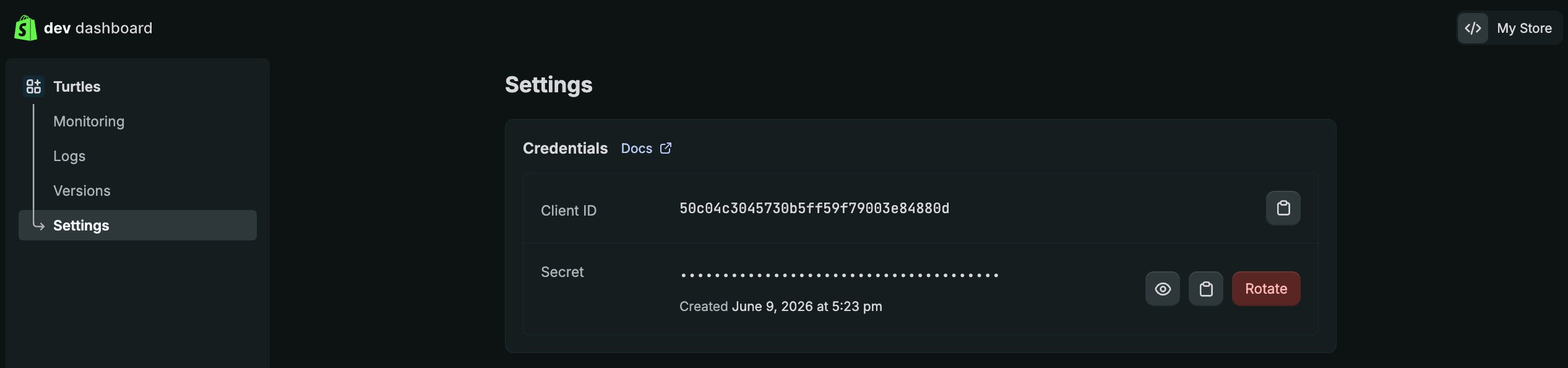
- In the Shopify dashboard, click Settings from the left sidebar and copy the Client ID and secret
- Go back to the Turtles Portal, and paste the Client ID and secret
- Click Connect Shopify
-
Click Install on the Shopify installation page to finish authorizing the app
Troubleshooting Shopify
Shopify app is missing permissions
Shopify app is missing permissions
This means the app is missing one of the 3 required scopes. Here’s how to fix it:
- Visit https://dev.shopify.com/dashboard/
- Click on the Turtles app to open it
- Click Versions from the left sidebar
- Click Create version
- Change ‘Scopes’ to
read_products,read_inventory,write_orders - Click Release at the bottom, and then click Release again when the confirmation popup is displayed
- In the Shopify dashboard, click Settings from the left sidebar and copy the Client ID and secret
- Go back to the Turtles Portal, and paste the Client ID and secret
- Click Install on the Shopify installation page to finish authorizing the app
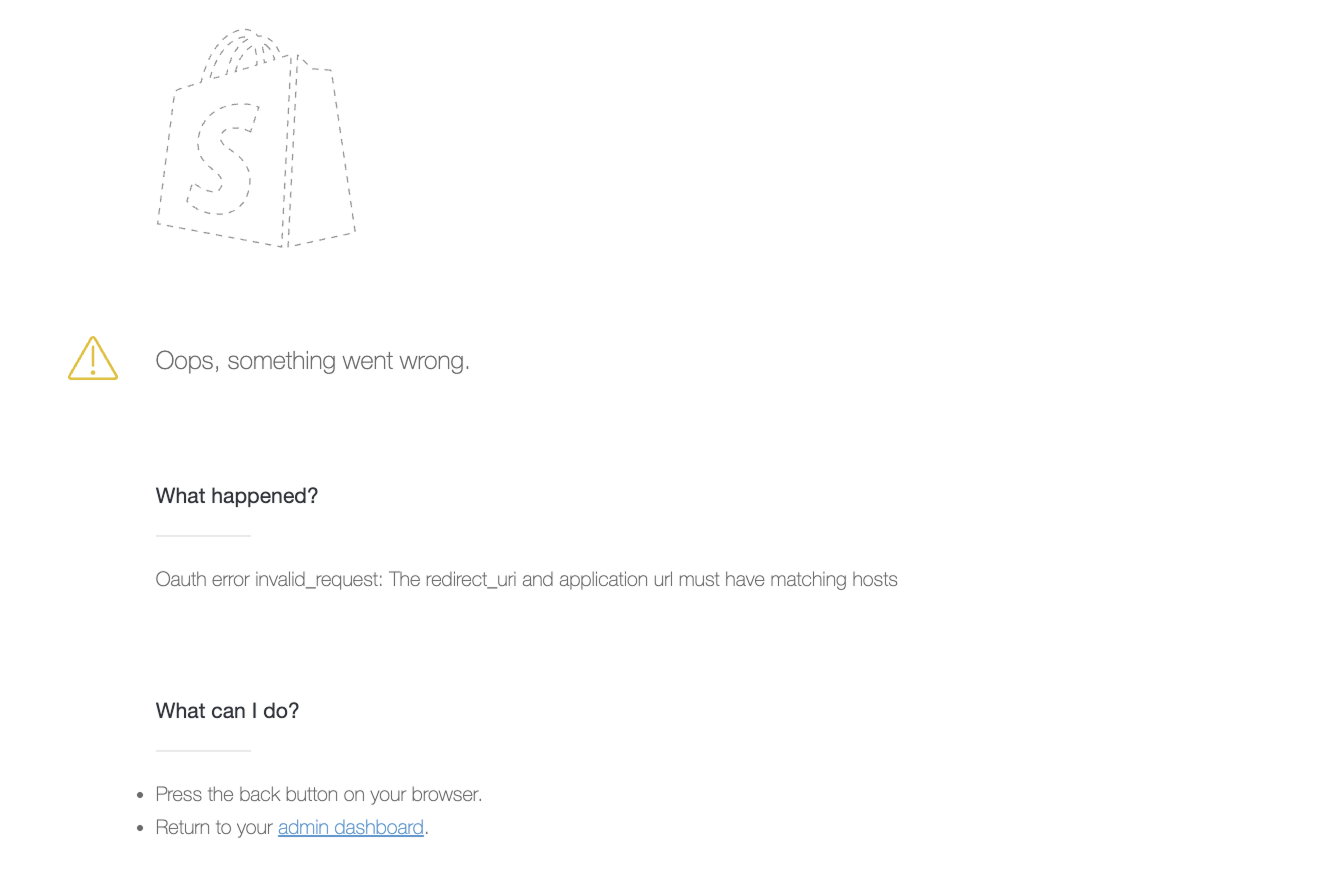
OAuth error invalid_request: The redirect_uri and application url must have matching hosts
OAuth error invalid_request: The redirect_uri and application url must have matching hosts
- Visit https://dev.shopify.com/dashboard/
- Click on the Turtles app to open it
- Click Versions from the left sidebar
- Click Create version
- In the URLs section, change ‘App URL’ to
https://app.turtles.com - Click Release at the bottom, and then click Release again when the confirmation popup is displayed
- In the Shopify dashboard, click Settings from the left sidebar and copy the Client ID and secret
- Go back to the Turtles Portal, and paste the Client ID and secret
- Click Install on the Shopify installation page to finish authorizing the app
WooCommerce Integration Guide
1
Generate API keys
-
Go to: WooCommerce > Settings > Advanced > REST API.
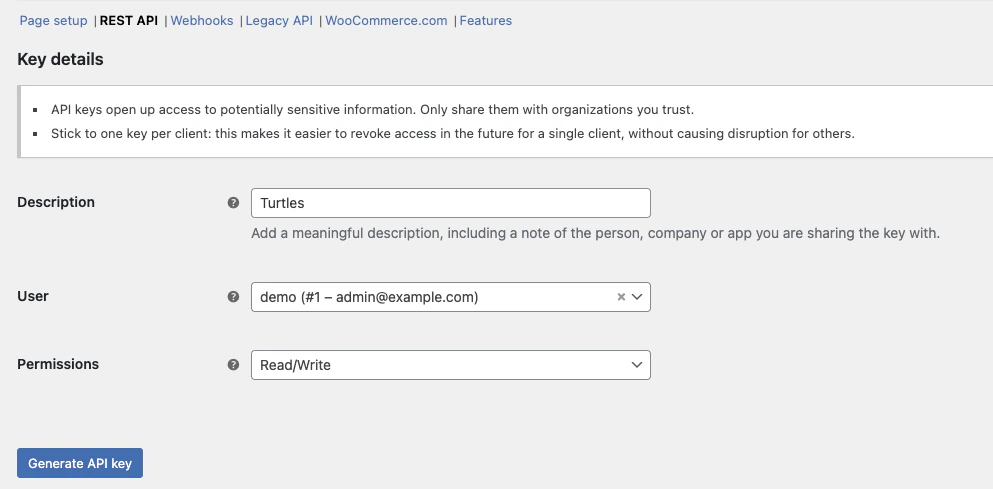
- Click Create an API key OR Add Key. You’ll be taken to the Key Details screen.
- Add a Description.
- Select the User you would like to generate a key for in the dropdown.
- Select Read/Write access
- Click Generate API Key, and WooCommerce creates API keys for that user.
-
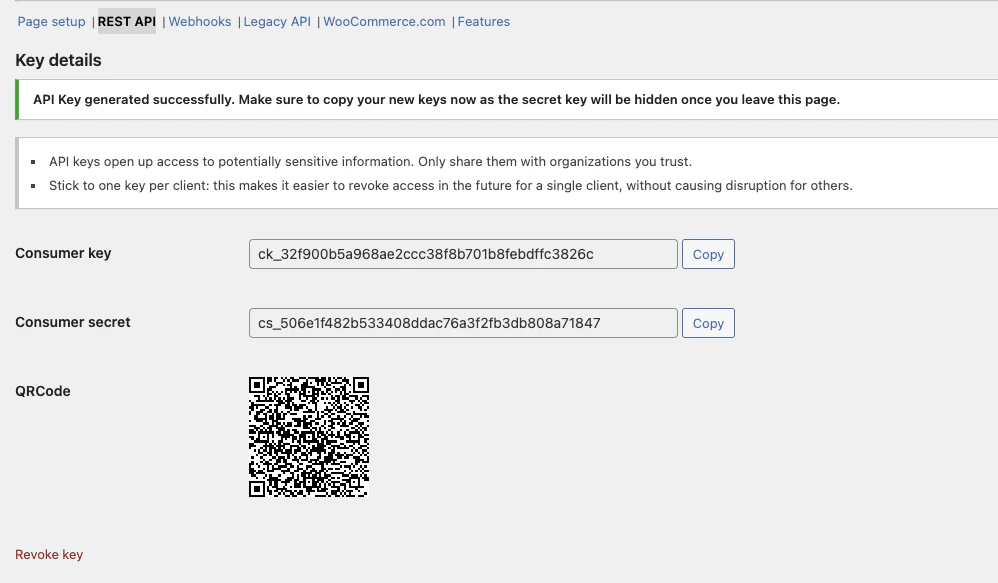
Now that keys have been generated, you should see Consumer Key and Consumer Secret keys.
2
Connect to Turtles
- Log in to your Turtles Dashboard
- Navigate to Settings > Integrations
- Click Connect WooCommerce
- Fill in the Store URL, Consumer key and secret